QR-Code Creator 7.6.6

QR-Code Creator 7.6.6 | Size: 34.26 MB
Language: English

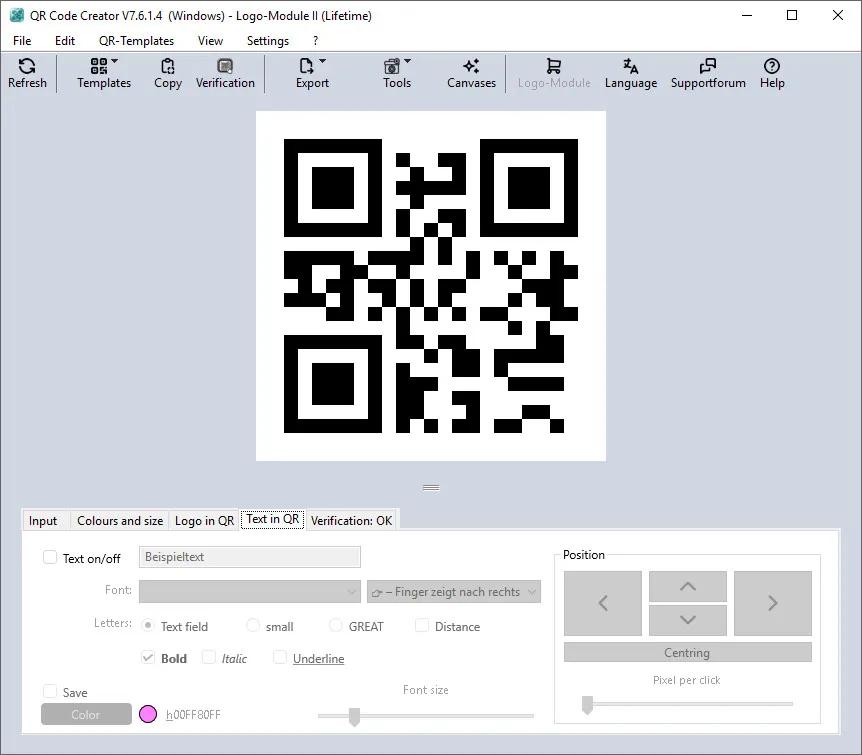
Create QR codes in no time on your PC. The best part is that the codes are generated without an internet connection. The software calculates the codes directly on your local computer, so you don’t have to worry about your data being read by third parties.

You can easily paste the generated QR codes into almost any application using the clipboard.

The software is constantly being developed and now includes a built-in prompt generator in addition to numerous canvases for visual enhancement.
(more…)

Macro Commander Pro+ 2.8.7 Multilingual

Macro Commander Pro+ 2.8.7 Multilingual | Size: 24.44 MB
Language: English

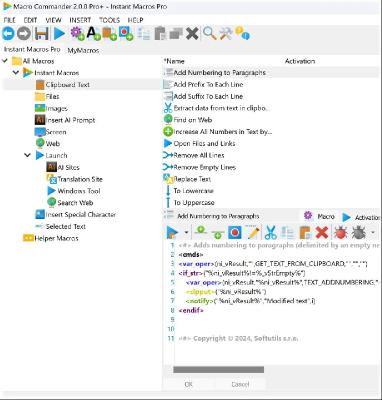
Macro Commander is all-in-one data entry and desktop automation software. It is designed to empower users to effortlessly create, manage, and activate macros and scripts in order to make manual repetitive tasks automated, fast, and error free. Its clean user interface allows to create and organize macros quickly and easily either manually or using a built-in macro recorder.

While Macro Commander provides strong data entry features to make filling data to other applications fast and easy, it also offers a comprehensive set of 300+ built-in commands that enable you to perform variety of other tasks including: manipulate files, folders, images, text, clipboard, network resources, web pages, natively automate applications such as Word or Excel, and send keystrokes and mouse clicks to any application or web page. In addition, the macros can be integrated with other scripting options such as Power Shell in order to extend its general usability.

Features:

Quick Personalized Data Entry – Rich Text, Plain Text, or Clipboard Persisted Data
Create a Text Macro, General Macro, or Clipboard Macro to quickly and conveniently enter data to any application or web page. Text Macro consists of a rich text that can contain links, images, color text, different kinds of fonts, and other text formatting options. General Macro is used to insert a plain text either by mimicking copy/pasted text or as a sequence of keystrokes (mimicking typing on keyboard). It can contain additional macro commands to gather user input, manipulate target application, load data from external resources, etc. Clipboard Macro consists of persisted clipboard content copied to clipboard by any application. Thus, this data can be anything – spreadsheet tables, clip arts, graphics of all kinds, file shortcuts, text, etc. The macros can contain a variable replacement placeholder (such as %vCustomerName%) that gets replaced by personalized data that can come from various sources (Excel, Word, web, remote files, CSV’s, etc.) using the Macro Commander built in commands.
(more…)
Macro Commander Pro+ 2.8.7 Multilingual

Macro Commander Pro+ 2.8.7 Multilingual | Size: 24.44 MB
Language: English

Macro Commander is all-in-one data entry and desktop automation software. It is designed to empower users to effortlessly create, manage, and activate macros and scripts in order to make manual repetitive tasks automated, fast, and error free. Its clean user interface allows to create and organize macros quickly and easily either manually or using a built-in macro recorder.

While Macro Commander provides strong data entry features to make filling data to other applications fast and easy, it also offers a comprehensive set of 300+ built-in commands that enable you to perform variety of other tasks including: manipulate files, folders, images, text, clipboard, network resources, web pages, natively automate applications such as Word or Excel, and send keystrokes and mouse clicks to any application or web page. In addition, the macros can be integrated with other scripting options such as Power Shell in order to extend its general usability.

Features:

Quick Personalized Data Entry – Rich Text, Plain Text, or Clipboard Persisted Data
Create a Text Macro, General Macro, or Clipboard Macro to quickly and conveniently enter data to any application or web page. Text Macro consists of a rich text that can contain links, images, color text, different kinds of fonts, and other text formatting options. General Macro is used to insert a plain text either by mimicking copy/pasted text or as a sequence of keystrokes (mimicking typing on keyboard). It can contain additional macro commands to gather user input, manipulate target application, load data from external resources, etc. Clipboard Macro consists of persisted clipboard content copied to clipboard by any application. Thus, this data can be anything – spreadsheet tables, clip arts, graphics of all kinds, file shortcuts, text, etc. The macros can contain a variable replacement placeholder (such as %vCustomerName%) that gets replaced by personalized data that can come from various sources (Excel, Word, web, remote files, CSV’s, etc.) using the Macro Commander built in commands.
(more…)
Hasleo Backup Suite Enterprise 5.8.2.2 Multilingual WinPE

Hasleo Backup Suite Enterprise 5.8.2.2 Multilingual WinPE | Size: 735.72 MB
Language: English

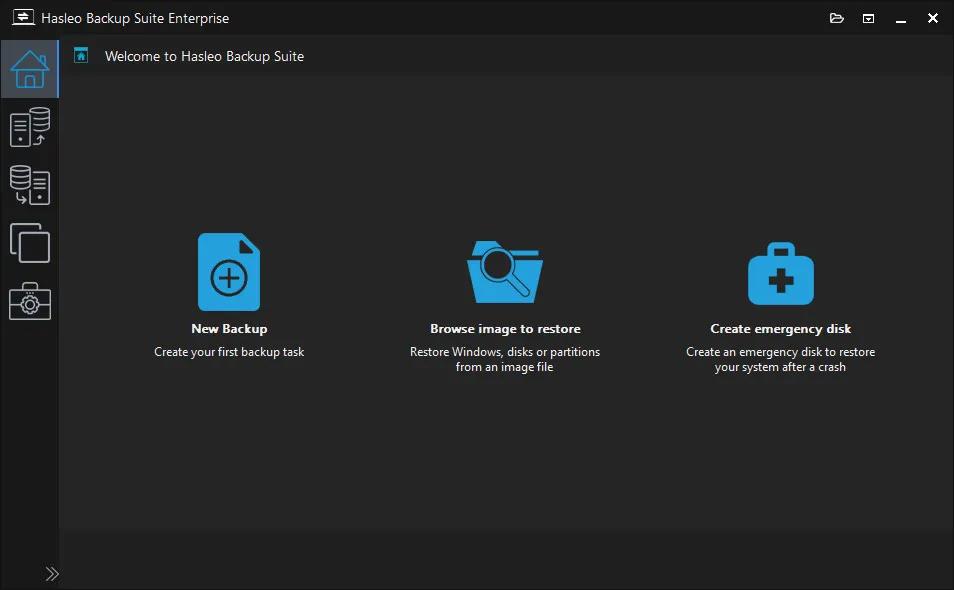
Hasleo Backup Suite is a free backup and restore software for Windows, which embeds backup, restore, and cloning features. The software is designed for Windows users and is compatible with both Windows PCs and Servers. Hasleo Backup Suite natively supports Windows X86/X64 and ARM64, enhancing performance while reducing power consumption.

The backup and restore feature in Hasleo Backup Suite can help you back up and restore the Windows operating system, disks, or partitions to ensure the security of your Windows OS and personal data. The cloning feature supports migrating Windows to a new disk and upgrading disks to SSDs or higher-capacity disks.

System Backup & Restore
Back up all partitions related to the normal operation of the Windows operating system, including the system partition, boot partition, and recovery partition, ensures fast system recovery in case of a Windows operating system crash.
(more…)

Goversoft Privazer 4.0.124 Multilingual

Goversoft Privazer 4.0.124 Multilingual | Size: 27.69 MB
Language: English

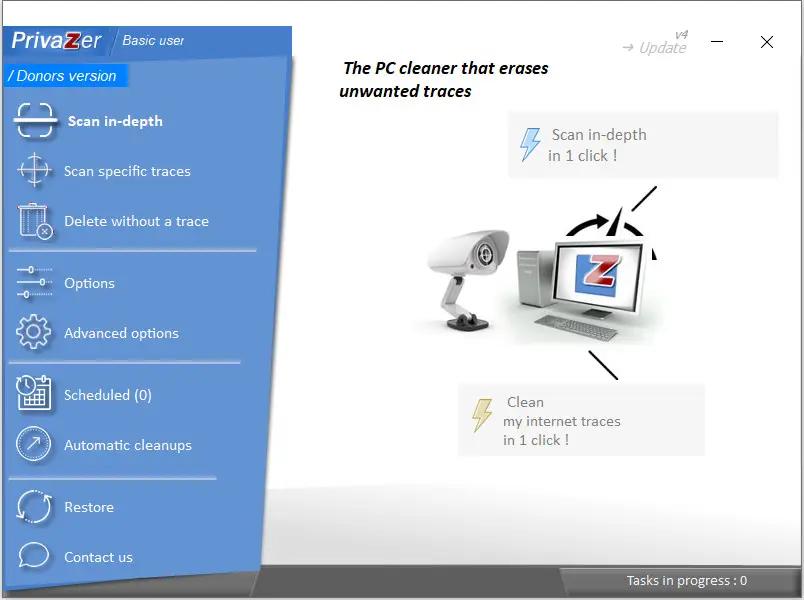
PrivaZer is a program that is designed to ensure the protection of personal data. It scans your hard disk for which data were on it after conventional treatment optimizers. You can then view the data and found to remove them completely, permanently. The program shows the tracks left in the process of surfing the Web, CD burning, the use of IM-clients. Also analyzes the "Start" menu, memory, registry.

Additional Information
The program has unique abilities to clean Windows computer of unnecessary files. With built-in depth scan is truly a complete analysis of the entire system, including secondary storage, external drives and storage devices attached to the computer of any kind. The application has a special module, permanently delete files and inverse function – recover deleted files. In-depth mode displays a list of items scanned. Some folders can be excluded from treatment. Application deletes the following files from the master file system table, log calls to the file system of Cookies, from the file registry Index.dat, system history, the history of IM, download manager and many other components. Application is able to perform a complete erasure of files from the drive without the rest and recovery. Despite the great number of similar programs, this package is one of the best in its class. He has those features that are not even in expensive commercial software (such as a low-level file system
(more…)

Fast Video Cutter Joiner 7.1.4 Multilingual

Fast Video Cutter Joiner 7.1.4 Multilingual | Size: 22.96 MB
Language: English

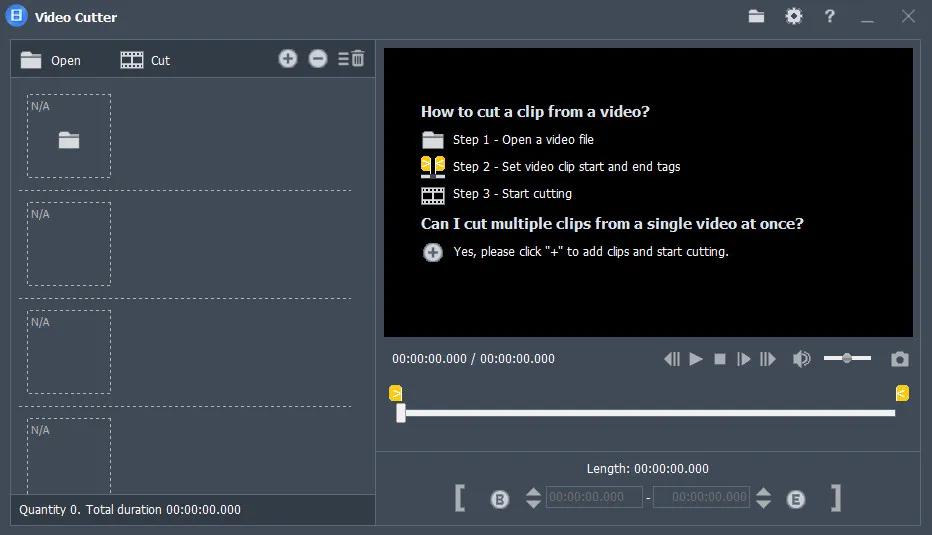
Easy and professional Video Cutter and Video Joiner Software. Why choose Fast Video Cutter Joiner? This is a fast video-cutting and joining software with an easy-to use interface. It allows users to trim parts of a video quickly while maintaining the quality of the original video. User can also join multiple video files.

Cut clips
If you want to cut and save specific parts of a video.

Join multiple videos
If you want to join multiple videos or merge more than two video files.

Features:

You can cut multiple video clips at once.
Video cutting speed is fast, taking only a few seconds.
Lossless cutting, with the same quality as the original video.
Clipped clips can be converted to other video formats.
Supports all video formats, such as mp4, avi, mpeg, rmvb and more.
Free to set the start and end points of video clips, very simple.
Play video from anywhere.
Any number of videos can be merged.
(more…)

FTPie Pro 2026.6.3 (x64)

FTPie Pro 2026.6.3 (x64) | Size: 198.76 MB
Language: English

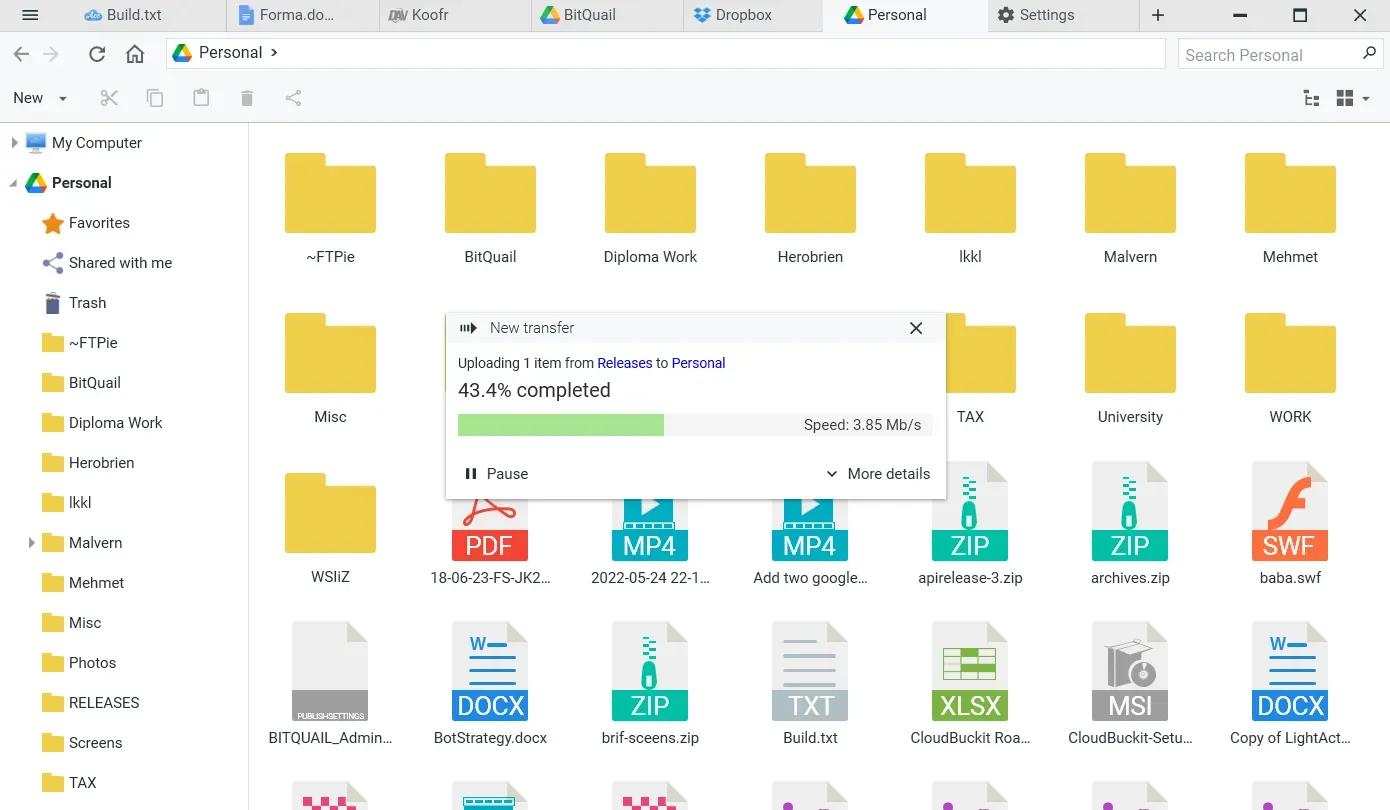
A Powerful FTP and Clouds Client with Seamless Google Docs and Microsoft 365 Apps Integration.

Transfer Files
Easily transfer, upload, and manage files between your PC, cloud storage, and FTP

Embedded Apps
Manage files effortlessly with FTPie’s built-in viewers and editors, all within the app.

Quick Share
Upload files and generate shareable URLs with a right-click using our shell extension.

Quick Upload
Right-click to upload files or folders to cloud storage or FTP with our shell extension.

Document Editing
Edit Google Docs and Microsoft Office files in FTPie, with seamless local app integration and automatic uploads.
(more…)

Dropbox 258.4.3749 (x64)

Dropbox 258.4.3749 (x64) | Size: 284.74 MB
Language: English

Dropbox is a free service that lets you bring all your videos, photos and docs anywhere and share them easily. This means that any file you save to your Dropbox will automatically save to all your computers, phones and even the Dropbox website. The program also makes it super easy to share with others, whether you’re a student or professional, parent or grandparent. Even if you accidentally spill a latte on your laptop, have no fear! You can relax knowing that Dropbox always has you covered, and none of your stuff will ever be lost. The application works just like any other folder on your computer, but with a few differences. Any files or folders inside Dropbox will get synchronized to Dropbox’s servers and any other computer linked to your account.

Features
Synchronization
Once installed, any file you drop into your Dropbox folder will synchronize and be available on any other computer you’ve installed Dropbox on, as well as from the web. Also, any changes you make to files in your Dropbox will sync to your other computers, instantly.
Backup
Let’s say you accidentally delete that 8 page report that you were supposed to have for a meeting tomorrow. A handy Dropbox feature is the ability to undelete files or pull up any previous versions of it.
Sharing
You can also share files and folders with whomever you choose, whether it be music with buddies, docs with colleagues or photos with grandma, even if they’re not Dropbox users.
(more…)

DISMTools 0.8

DISMTools 0.8 | Size: 82.02 MB
Language: English

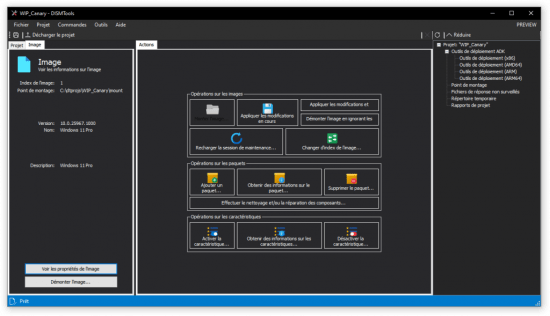
DISMTools is a front-end for DISM that lets you manage your Windows Imaging (WIM) files and a whole lot more.

Key features
DISMTools is the first project-based GUI. Projects store the mounted image and unattended answer files you want to apply (using the command line at this time), while also providing a scratch directory for temporary operations
DISMTools is also smart, checking first if an action can be performed before doing it

Supported actions
The following actions are supported by DISMTools
This program is in beta stages, so not every possible action is implemented. Check the "Unsupported actions" section for more details
Image management
(more…)

Coolutils Total Excel Converter 7.1.0.135 Multilingual

Coolutils Total Excel Converter 7.1.0.135 Multilingual | Size: 123.1 MB
Language: English

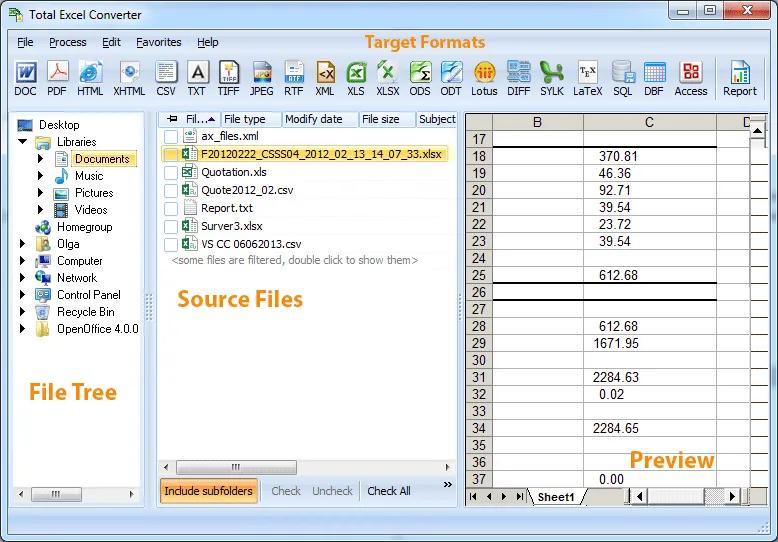
Total Excel Converter is the perfect choice to convert any type of table. Supported input formats include Excel and Excel 2007, XLSM, XLT, XLTM as well as OpenOffice formats ODS, XML, SQL, WK2, WKS, WAB, DBF, TEX, and DIF. The list of target formats is even more extensive: convert your tabled files into DOC, DOCX, PDF, HTML, Access, TXT, ODT, ODS, XML, SQL, CSV, Lotus, DBF, TEX, DIFF, SYLK, and LaTeX. Imagine how much time you’ll save with this amazing conversion tool.

Total Excel Converter strictly preserves document layout; you’ll get an exact copy of the source file but in a new format. In addition, we’ve included a number of handy options:
With Total Excel Converter, you can convert each sheet into a new file.
When you convert Excel to PDF you can set user permissions. This will protect your PDF files from being modified or copied.
Total Excel Converter can easily convert OpenOffice ODS files to Microsoft XLS documents; making it so that spread sheets produced by different programs are compatible with your viewer.
(more…)